
Migraine Insight: Tracker
Migraine Insight Shiny App, Inc.Medical
4.294.00 Reviews
- Version
- 5.0.1
- Installs
- 50.00K
- Age Rating
- Everyone
Screenshots

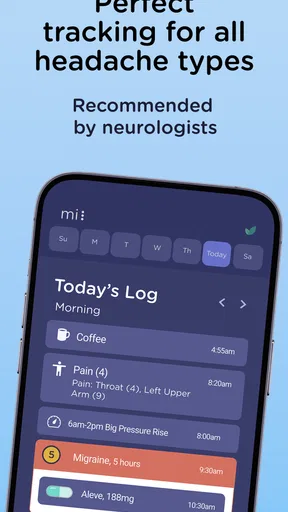

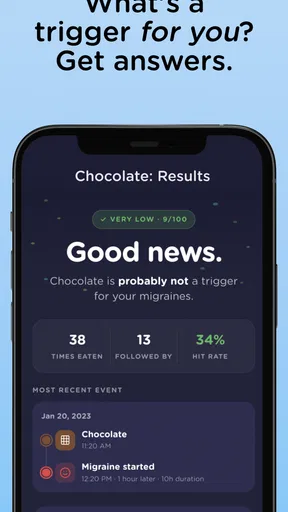

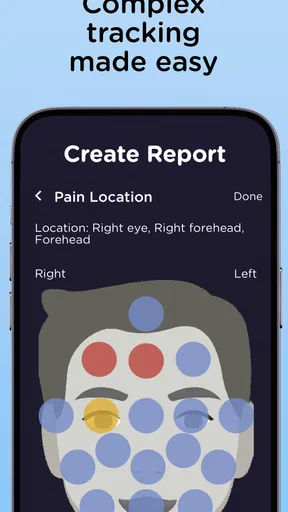

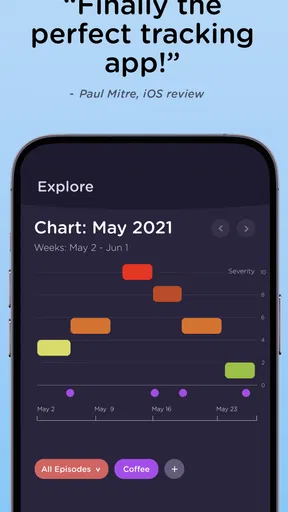
Our Review of Migraine Insight: Tracker
 Analysis by Appyee
I find a migraine diary most useful when it helps me notice patterns without asking me to reconstruct a difficult day from memory. That is the idea behind Migraine Insight: Tracker: keeping symptoms, medication, and possible triggers together so the record can be more useful later. I’d treat it as a personal tracking tool, not a way to diagnose or treat a medical condition, but a steady log can give you better material for a conversation with a clinician.
Building a Useful Routine
I’d make the routine small enough to survive a bad day: capture the episode, symptoms, and medication first, then add context only when you feel up to it. That keeps the record useful without turning tracking into another task, and it gives you a practical baseline for deciding what details deserve attention next.
Start with a baseline you can maintain
The app is a medical tracking app from Migraine Insight Shiny App, Inc. It is free to download, with in-app purchases available, and is rated for Everyone. Its average rating is 4.2 from over 400 ratings, and it has more than 10,000 installs. Those figures suggest that it has found an audience, though they don’t tell you whether its approach will suit your own habits.
When I set up any migraine tracker, I try not to begin by recording every detail I can think of. A short, repeatable entry is more valuable than an elaborate one I abandon after a few days. Start with the information that matters most to you: when an episode begins, the symptoms you notice, what you take, and whether it seems to help. Add possible triggers only when you can record them consistently.
The app’s symptom and medication logs are useful because they put related details in one place. A note that says “headache” may not be enough to compare one episode with another; noting a symptom such as aura, the level of pain, or a medication response can make a later review more informative. I’d keep entries factual and brief while an attack is happening, then add context afterward if you feel well enough.
Choose tracking details with care
A customizable trigger list is a practical starting point, especially if you already have a few suspects in mind. You can include things that matter in your own life rather than forcing every experience into a standard set of labels. But a trigger list is not proof of cause. If you record a food, a stressful day, or a change in routine around an episode, treat that as a clue to review over time, not a verdict based on one coincidence.
One useful habit is to make your entries comparable. If you describe pain in different ways every time, or only record medication on some days, it becomes harder to see whether anything is changing. I’d use the same simple terms whenever possible and avoid adding a long list of speculative triggers after a bad episode. That restraint makes the record easier to interpret and less likely to encourage overconfident conclusions.
Turn reports into a practical conversation
The reports and charts can help you look back across your entries instead of relying entirely on memory. Before an appointment, I’d review the period I want to discuss and note a few questions: what symptoms recur, which treatments I logged, and whether I noticed any repeated circumstances. That is a more realistic use of a report than expecting a graph to explain why a migraine happened.
A concrete example: imagine you have a difficult week and later can’t remember which days included aura or what you took. A brief entry made close to the event may give you a clearer account when you speak with a clinician. You can also distinguish “I tried this once” from “I have recorded this response several times,” which matters when deciding what is worth discussing next.
I would not use the app’s patterns to change a prescribed treatment by myself. Tracking can support a medical conversation, but it does not replace professional advice, and a chart cannot account for every factor behind an attack. If your symptoms change sharply or concern you, getting appropriate medical help matters more than completing a log.
Make the routine faster without losing useful context
The best shortcut is a habit, not a complicated system: record the essentials while the episode is still fresh, and return later only if you need to add detail. If entering information during pain feels like too much, make a minimal note and fill in what you remember when you can. A tracker should reduce the burden of remembering, not turn migraine management into another demanding task.
It can also help to separate what you know from what you suspect. For example, record a medication and its perceived effect as an observation, while keeping a possible trigger as a possibility. That small distinction makes later review more honest. It also helps prevent a single difficult day from prompting major changes to your diet or routine without enough evidence.
When you are preparing a report for an appointment, focus on the questions you actually want answered rather than trying to summarize everything. You might want to discuss a recurring symptom, how often you have needed a particular medication, or whether a suspected pattern deserves attention. A concise review of your own notes is often easier to talk through than a rushed attempt to recall an entire month.
Know what a tracker can and cannot do
Compared with a paper diary or a basic notes app, a dedicated migraine tracker can make it easier to keep symptom, trigger, and medication records in a more organized format. A paper log may be preferable if you want full control over layout or prefer not to use a phone during an attack. A general notes app can be quicker for free-form writing, but it may take more effort to compare entries later. The right choice is the one you will actually use.
The app’s reports are potentially more helpful when your entries are regular and specific. Sparse notes can create a misleading impression simply because there is not enough information to compare. Likewise, a long trigger list may feel thorough but can make patterns harder to judge if you rarely record those factors consistently. I’d start narrow, then add a tracking detail only when it answers a real question.
There are limits to any self-tracking approach. Migraines can have several contributing factors, and timing alone does not establish a cause. A report can organize what you have recorded, but it cannot make incomplete entries complete or decide which treatment is appropriate. If you want a tool primarily for medical guidance or urgent symptom assessment, this is not a substitute for a clinician.
Who is likely to get the most from it?
I think this app is best for someone who wants a structured record and is willing to check in regularly, even if the entries are short. It may be especially useful if you often forget symptom details between attacks or want to bring a clearer account of medication use to an appointment. People who are new to tracking can begin with a small set of observations rather than trying to understand every possible trigger at once.
It may be a poor fit if you dislike logging, prefer a private paper journal, or want a tracker that automatically explains what caused each episode. The app’s value depends on information you enter; it cannot supply a reliable personal history if you rarely open it. If detailed entry feels burdensome, a simple calendar or a few notes may be a better starting point.
For a first-time user, I’d spend a little time checking which symptoms and triggers are relevant to your own experience before settling into a routine. The app runs on Android with version 8.0 or later, and its current version is 5.0.1. If you are using an older device, checking compatibility before relying on it is sensible. The free starting point makes it easier to try the workflow, while in-app purchases range from under a dollar to prices above one hundred dollars per item, so I’d review any purchase carefully before committing.
The app’s store rating is one small signal, not a guarantee that every feature or workflow will work for you. I’d judge it by whether you can record an episode quickly, find your past notes when needed, and prepare information that helps you ask better questions. If those steps feel natural, the tracker can become a useful part of your routine; if they feel like busywork, a simpler method may be more sustainable.
My verdict on making it a habit
Overall, Migraine Insight: Tracker looks most worthwhile when you use it as a steady notebook with reporting tools, rather than as an answer machine. The strongest approach is to record a few consistent details, review them with care, and bring meaningful questions to a healthcare professional. That is a modest promise, but it is a practical one for anyone trying to make migraine conversations more specific.
I would recommend trying it if you want a dedicated place to track symptoms, medications, and possible triggers and are comfortable maintaining a simple routine. I’d skip it if you expect automatic diagnosis, instant relief, or a completely hands-off record. Keeping the log brief, factual, and regular is the difference between a helpful history and a collection of guesses.
Getting Started
First things first, downloading and setting up the app is super straightforward. Available on both Android and iOS, the app is just a quick tap away in your app store. Once you’ve got it on your phone, the initial setup is smooth sailing. You’ll input some basic information about your migraine history, triggers, and medications. It’s like having a mini diary that gets you!
User Interface and Experience
The user interface is pretty neat and tidy. With a clean, minimalistic design, it doesn’t overwhelm you with too much information at once. The colors are easy on the eyes, which is a huge plus when you’re dealing with a migraine. Navigating through the app is intuitive. The buttons and options are well-labeled, making it easy for even the not-so-tech-savvy among us to find our way around.
Features That Stand Out
One of the standout features is the customizable trigger list. You can tailor this list to include anything from weather changes to food items, making it personalized to your specific needs. This is a game-changer because it allows you to pinpoint exactly what might be causing those nasty headaches.
The app also offers a symptom tracker, where you can log your pain levels, aura occurrences, and any other symptoms. The visual graphs generated from this data are super helpful for spotting patterns over time. Plus, there’s a medication log to track what you’ve taken and how effective it was. This holistic approach means you’re not just managing migraines; you’re understanding them.
Insights and Reports
Let’s talk about the insights section. This feature compiles all your data and presents it in easy-to-understand charts and reports. Imagine going to your doctor with a clear, detailed report of your migraine history. It’s like having a cheat sheet for your health, and it makes those doctor visits so much more productive.
Community and Support
Another cool aspect is the sense of community. The app links you to forums and support groups where you can connect with others who understand what you’re going through. It’s comforting to know you’re not alone on this journey, and you can share tips and advice with fellow migraine warriors.
For those moments when you need immediate relief, the app offers relaxation exercises and tips for managing stress. It’s a holistic toolkit that addresses both the physical and emotional aspects of migraine management.
What Could Be Improved
While the app is impressive, there’s always room for improvement. One thing I noticed is that the app can occasionally lag when inputting a lot of data at once. It’s not a deal-breaker, but it’s something to be aware of.
Additionally, while the app is rich in features, a more interactive tutorial could be beneficial for first-time users. A step-by-step guide or video walkthrough would make it even easier to get started without feeling overwhelmed.
Final Thoughts
Overall, it’s a solid app for anyone looking to take control of their migraines. It’s comprehensive yet user-friendly, making it a valuable tool for managing and understanding your patterns. Whether you’re a migraine newbie or a seasoned sufferer, this app offers the insights you need to navigate your migraine journey with confidence.
So, if you’re tired of feeling like your migraines are running the show, give this app a try. It might just become your new best friend in the fight against those pesky headaches!
Verdict
Strengths of Migraine Insight: Tracker
- User-friendly interface for easy tracking
- Customizable migraine triggers and symptoms
- Comprehensive data visualization tools
- Syncs with health apps for holistic tracking
- Offers personalized insights and recommendations
Limitations of Migraine Insight: Tracker
- Requires premium for advanced features
- Limited language support
- In-app ads might be distracting
- Initial setup can be time-consuming
- Battery drain from constant data logging
Similar Picks in This Category
View All
WebMD: Symptom Checker
WebMD, LLC4.1

Microphone Amplifier
DOSA Apps4.2

Anatomy Learning - 3D Anatomy
3D Medical OU4.5

Period Tracker and Calendar
SimpleInnovation4.9

GoodRx: Prescription Coupons
GoodRx4.8

CVS Health
CVS Pharmacy4.5
Frequently Asked Questions
What is Migraine Insight: Tracker, and how does it work?
Migraine Insight: Tracker is an app designed to help users monitor and manage their migraine episodes. By tracking triggers, symptoms, and relief methods, the app provides insights into patterns and potential causes of migraines. Users can log daily activities, dietary habits, and treatments to receive personalized reports and recommendations.
Is Migraine Insight: Tracker suitable for all types of migraines?
Yes, Migraine Insight: Tracker is designed to accommodate various types of migraines, including aura, without aura, and chronic migraines. The app allows users to customize their tracking based on specific symptoms and triggers, making it versatile for different migraine experiences and helping users identify unique patterns.
How does Migraine Insight ensure data privacy and security?
Migraine Insight: Tracker prioritizes user privacy and data security by implementing encryption and secure storage protocols. Users' personal information and tracked data are kept confidential, and the app complies with relevant data protection regulations. Users have control over their data and can choose what to share or keep private.
Can Migraine Insight: Tracker provide medical advice or diagnosis?
No, Migraine Insight: Tracker is not a substitute for professional medical advice or diagnosis. It is a tool for tracking and gaining insights into migraine patterns. Users are encouraged to consult healthcare professionals for medical advice and to discuss the data collected with their doctors for personalized treatment plans.
Is there a cost to use Migraine Insight: Tracker, and are there any in-app purchases?
Migraine Insight: Tracker offers a free version with essential features for tracking migraines. However, there may be in-app purchases or premium subscriptions available that provide additional features such as detailed analytics, advanced reports, and personalized insights. Users can choose the plan that best suits their needs.
